


01Source
A real spatial record
The points have a 3D position and together form the canopy, vegetation structure and terrain surface. The view can be rotated and zoomed to check the geometry from several angles.
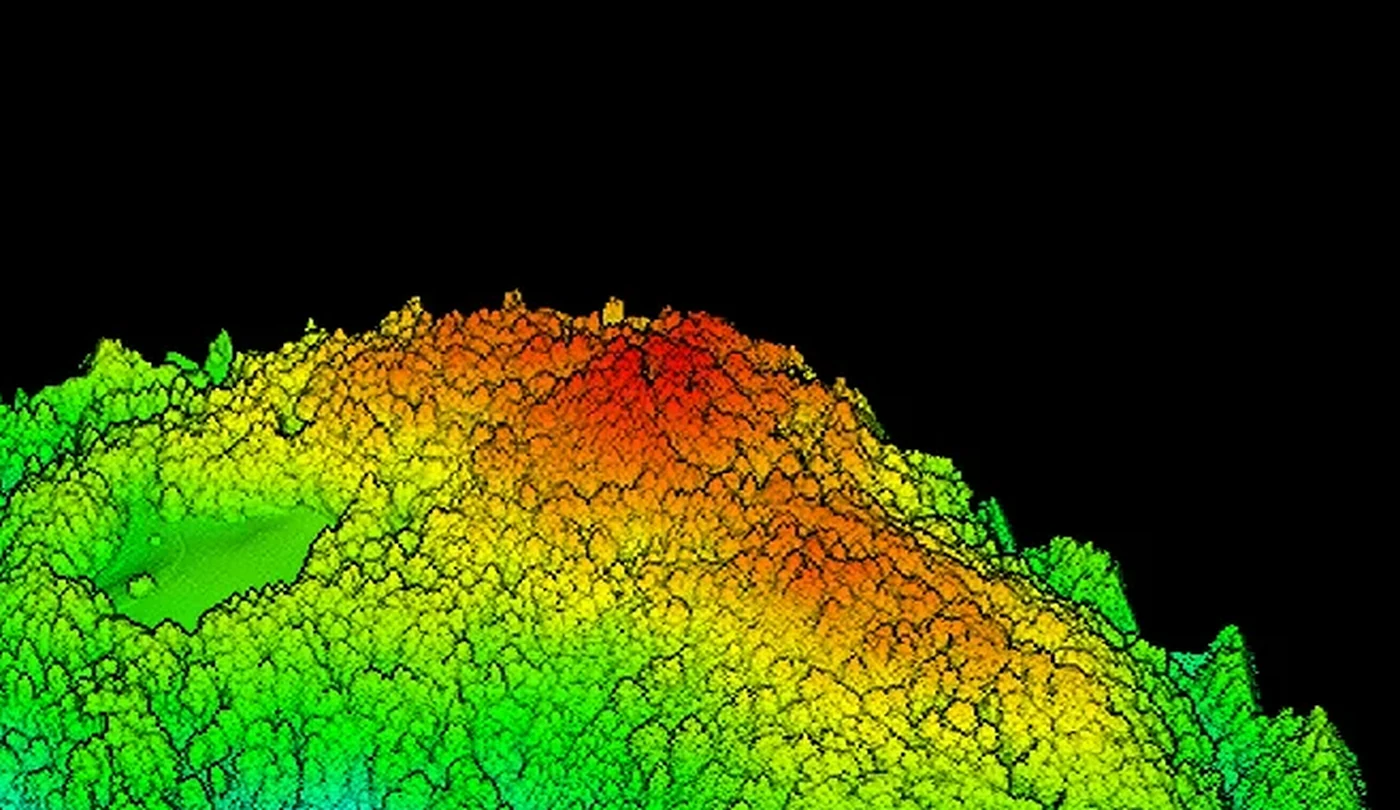
This is not an AI-generated promotional image. The public example shows a web-optimised 60 × 30 metre LiDAR section with 3.39 million displayed points. In the same viewer you can compare the returns with trees and the derived ground model view.
A professional LiDAR contractor should be able to show what the result the client actually uses looks like. That is why we publish an interactive example, clearly separate what the view shows from what it does not prove, and do not replace technical data with a generated render.
The points have a 3D position and together form the canopy, vegetation structure and terrain surface. The view can be rotated and zoomed to check the geometry from several angles.
A toggle separates the returns with trees from the derived terrain view. This shows why classification and processing control are just as important as data capture itself.
The web view is not a full project deliverable, official survey base data or confirmation of accuracy. Coordinates and sensitive site context are not exposed in the public example.
In a real project, the required accuracy, classification, coordinate system and formats such as LAS/LAZ, rasters, profiles or CAD/GIS exports are defined.
Rotate the view, zoom into detail and switch between the “Šuma sa stablima” (forest with trees) and “Teren bez stabala” (terrain without trees) options. On mobile devices the view is deliberately taller so the controls and the model have enough space.
A sufficiently large forest section that clearly shows vegetation and terrain was extracted from a larger spatial dataset, without publishing sensitive site context.
A view of the returns with trees and a derived ground view were prepared so the difference can be checked in the same interface.
The data was adapted for fast loading and interactive viewing. This means the public view is not the same as the full project file for technical processing.
Rotation, zoom, view switching, control legibility and behaviour on desktop and mobile devices were checked.
A good LiDAR example does not hide the limits of the method. The public view serves to understand the data structure; we draw project conclusions only after defining the goal, the control method and the necessary expert interpretation.
01CANOPY / HEIGHTDifferences in the height and density of returns help understand the shape of the canopy and the spatial relationship of vegetation to the terrain.
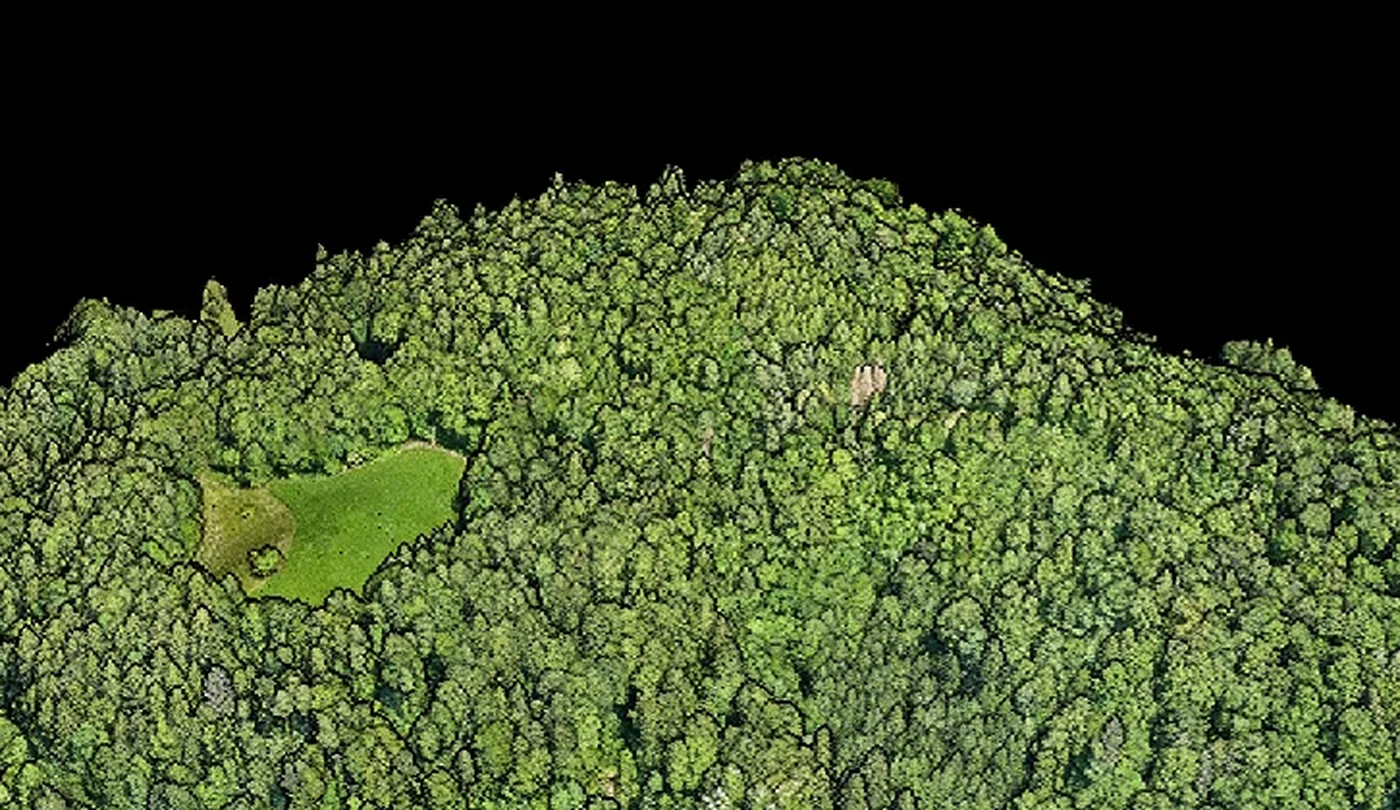 02RGB / 3D
An RGB view of the forest model makes it easier to orient yourself and compare the LiDAR returns with the visible layout of vegetation and clearings.
03TERRAIN / LIMITATIONSThe ground view is the result of classification and processing. Gaps, occlusions and interpolation are assessed according to vegetation density, purpose and the agreed control.
The public example does not contain project coordinates, control points, an accuracy report or the full LAS/LAZ dataset. It cannot be used as certified survey base data or as a substitute for an appropriate specialist. Its purpose is to show the real type of data, how it can be viewed interactively and the difference between vegetation returns and a derived ground model.
The area, vegetation, coordinate system, required control and final format determine the flight and processing plan.
Point cloud, classification, DTM/DSM, profiles, rasters or CAD/GIS exports are agreed before data capture.
For an initial assessment, send the survey boundary, approximate area, a description of the terrain and vegetation, the data goal and the desired format. Before quoting, we separate what can be confirmed by the survey from what requires additional expert review.
Energize Intelligent Solutions d.o.o.